

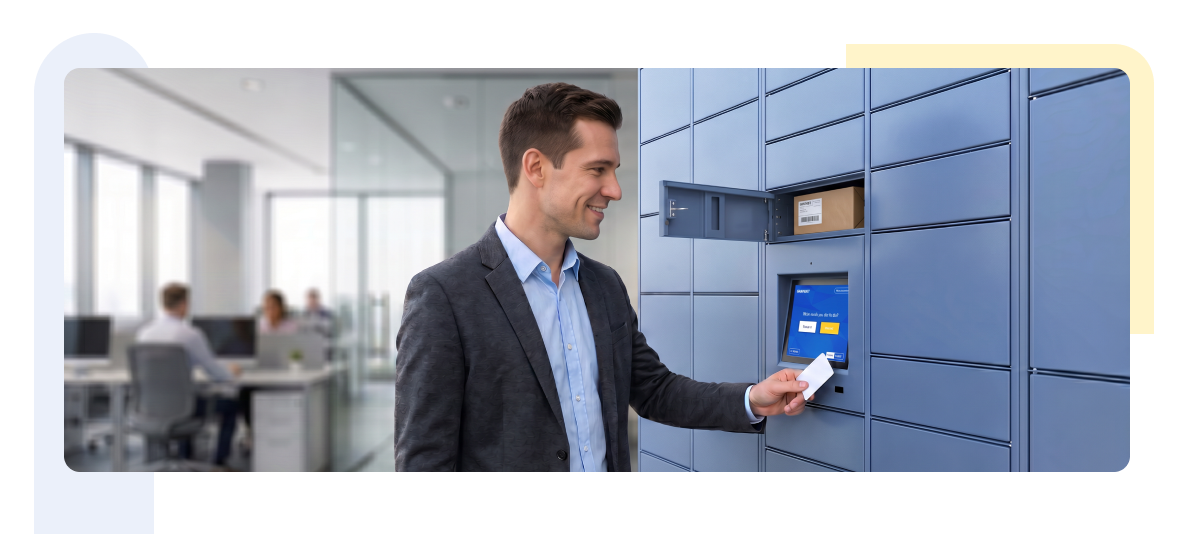

It’s 8:45 AM. Two hundred employees are streaming through the lobby, tapping their badges at the turnstile, heading to their desks, grabbing coffee. Somewhere in that flow, a handful of them stop at the locker bank near the elevators. One needs a laptop she stored overnight. Another is dropping off a package he can’t carry to his desk. A third is checking out a shared monitor for a hybrid workday.
None of them are typing a PIN. None of them are digging through a drawer for a spare key. They tap the same badge they used to get into the building, and the locker opens.
For facilities teams managing this kind of environment across one office or fifteen, that small interaction says a lot about how the rest of the system is designed. RFID smart locker access has become the default expectation for enterprise workplaces, not because it’s flashy, but because it removes friction from a process that used to involve keys, tickets, and a lot of manual tracking.
This guide walks through how RFID and badge access actually work in locker deployments, why they matter operationally, and what to look for when evaluating a system for your organization.
Key Takeaways
RFID smart locker access lets employees use their existing badge to open assigned lockers, removing the need for keys or PINs.
Badge-based systems reduce administrative overhead for onboarding, offboarding, and lost credential replacement.
Facility access control integration allows a single credential to manage both building entry and locker access.
RFID compares favorably to keys, PIN codes, and mobile credentials on security, convenience, and audit tracking.
The right system should scale across locations, integrate with existing infrastructure, and support role-based permissions.
What Is RFID Smart Locker Access?
RFID smart locker access uses radio frequency identification, the same technology behind most employee ID badges, to authenticate a user at a locker terminal. The badge communicates with a reader built into the locker unit or a central kiosk, the system checks the credential against an assignment database, and the correct locker unlocks.
In practical terms, this means employees don’t need a separate key fob or code specifically for lockers. If your organization already issues RFID badges for building access, those same badges typically double as locker credentials. The locker system reads the badge, confirms the assignment, and releases the lock, often in under a second.
Most enterprise deployments pair RFID with other authentication options, including QR codes and mobile credentials, so employees and visitors without a badge still have a way in.
Why Badge Access Matters for Enterprise Workplaces
The case for badge access locker systems comes down to a few operational realities that facilities teams deal with every day.
Faster access. A badge tap is quicker than typing a PIN or fumbling with a key, especially during peak arrival times when dozens of employees hit the locker bank at once.
Better security. Unlike a shared PIN code or a key that can be copied, an RFID badge is tied to a specific individual. If someone attempts to use a badge that isn’t assigned to a given locker, the system simply denies access and logs the attempt.
Reduced administrative effort. When a new hire joins, their existing badge can be linked to a locker assignment without issuing new hardware. When someone leaves the company, revoking access is a matter of deactivating their credential in the system.
No physical keys to manage. Keys get lost, duplicated, or left with the wrong person. Removing them from the equation removes an entire category of facilities headaches, from re-keying locks to tracking down spares.
A better employee experience. Employees don’t think about locker access unless it’s broken. A contactless locker entry system that just works quietly, is part of what makes an office feel well run.
RFID and mobile credentials both outperform keys and PINs across the board, which is why most enterprise employee ID locker access programs are built around one or both of these methods, often with QR codes offered as a backup for visitors or contractors.
Practical Use Cases
Badge access shows up differently depending on the workplace, so it helps to look at a few concrete scenarios.
Corporate offices. Employees are assigned a dedicated locker linked to their badge for daily belongings, giving them consistent, private storage without a physical key to track.
Hybrid workplaces. With employees coming in on different days, lockers can be assigned dynamically rather than permanently. A badge tap at a kiosk can reserve an available locker for that day only, freeing it up automatically once the session ends.
Shared desks. In hot-desking environments, lockers fill the storage gap left by the lack of a fixed desk. Badge access ties the locker to the person, not the desk, so belongings stay secure regardless of where someone sits.
IT asset lockers. Laptops, monitors, and loaner devices can be checked in and out through badge-authenticated lockers, giving IT teams a record of who has which asset without manual sign-out sheets.
Employee package lockers. Deliveries addressed to individual employees can be placed in a locker and released only to the badge on file, reducing the load on front desk or mailroom staff.
Visitor lockers. Guests without a company badge can typically use a QR code or a temporary access code generated for their visit, keeping the same locker infrastructure usable for non-employees.
Facility Access Control Integration
One of the more practical advantages of RFID smart locker access is how well it fits into infrastructure that’s already in place. Facility access control integration means the locker system works with your existing badge system rather than requiring a separate one.
Single credential access. Employees use the same badge for building entry, floor access, and locker access. There’s no second card to issue, track, or replace.
Centralized administration. IT and security teams manage credentials from one system, or through an integration that keeps locker access permissions in sync with the broader access control platform.
Security compliance. Because access events are logged consistently across building and locker systems, compliance and security audits have a more complete picture of who accessed what, and when.
Reduced manual provisioning. New employees don’t need a separate onboarding step for locker access. If their badge is already active in the access control system, locker permissions can be assigned or synced automatically.
For enterprises running multiple office locations, this kind of integration also means access policies can be standardized across sites, rather than managed locker by locker.
Benefits for Facilities Teams
Beyond the employee-facing convenience, RFID locker systems change the day-to-day workload for the people who manage them.
Less manual locker management. Assignments, reassignments, and releases happen through a management console rather than in person.
Reduced support tickets. Fewer lost keys and forgotten PINs means fewer requests landing in the facilities inbox.
Easier onboarding. New employees can be assigned a locker as part of the standard IT and facilities onboarding checklist.
Faster offboarding. Revoking access and reassigning a locker takes minutes, not a locksmith visit.
Better visibility. Dashboards show which lockers are in use, which are available, and how utilization trends over time.
Occupancy reporting. Facilities teams can right-size locker banks based on actual usage data rather than guesswork.
Automated assignment. Rules-based logic can assign lockers by department, floor, or shift pattern without manual intervention.
Security Considerations
Badge access solves a lot of problems, but it should be implemented with a few security fundamentals in mind.
Role-based permissions. Not every employee needs the same level of access. Administrators, facilities staff, and general employees should have permission levels that match their responsibilities.
Employee authentication. The system should reliably tie each badge tap to a specific, verified individual, not just a generic credential number.
Audit logs. Every open, close, and failed access attempt should be logged with a timestamp and user identity, giving security teams a clear record if something needs investigating.
Time-based access. Some lockers, particularly shared or IT asset lockers, benefit from access windows that expire automatically after a set period.
Remote management. Administrators should be able to lock, unlock, or reassign a locker remotely, without needing to be physically present at the unit.
Compliance. For regulated industries, locker access logs may need to align with broader data retention and security policies, so it’s worth confirming how long records are kept and how they can be exported.
Choosing the Right RFID Locker System
When evaluating vendors, a few criteria tend to separate systems built for enterprise use from those designed for smaller, simpler deployments.
Scalability. Can the system support a single office today and dozens of locations later, without a complete re-architecture?
Integration capability. Does it connect with your existing badge and access control infrastructure, or does it require a separate credential system?
Authentication options. Beyond RFID, does it support QR codes and mobile credentials for flexibility?
User management. Is there a straightforward way to assign, reassign, and deactivate locker access at scale?
Reporting. Can facilities and security teams pull usage, occupancy, and audit data without manual work?
Support. What does implementation and ongoing support actually look like, especially across multiple sites?
Deployment flexibility. Can the hardware fit different locker configurations, from small personal storage to larger asset lockers?
Why Enterprises Choose Smartbox
Smartbox works with organizations that need locker infrastructure to fit into an existing security and IT environment rather than operate as a standalone system. RFID badge access is central to that approach, allowing employees to use credentials they already carry.
Alongside RFID, Smartbox supports QR code and mobile authentication, giving facilities teams flexibility for employees, contractors, and visitors alike. The platform is built to integrate with existing access control systems, so locker permissions can align with the credentials your organization already manages.
Administration is handled through a centralized dashboard, giving facilities and IT teams visibility into assignments, usage, and access logs across every location. The underlying hardware is designed for enterprise deployment conditions, and the system is built to scale from a single office to a multi-site rollout without requiring a different platform at each stage.
Final Thoughts
RFID smart locker access has moved from a nice-to-have to a practical standard for enterprise workplaces. It removes the friction of keys and PINs, ties locker access to a credential employee already carry, and gives facilities teams centralized control over assignments, permissions, and audit trails. Paired with proper facility access control integration, it turns locker management from a recurring administrative task into something that mostly runs itself.
For facilities teams evaluating an upgrade, the priorities are straightforward: look for a system that integrates with what you already have, scales with your organization, and gives you the reporting and control you need without adding complexity to your day.
If your organization is exploring RFID-enabled locker solutions, Smartbox’s enterprise locker platform is worth a closer look for how it handles badge authentication, access control integration, and multi-site deployment.