


The Manual Asset Problem: Why Spreadsheets Fail at Scale
If your organization operates a fleet of 500 or more endpoint devices, you already know the pain. A new hire arrives at 8 AM. The IT helpdesk does not open until 9. The spreadsheet shows three spare laptops available, but nobody knows where they physically are. One is with an employee who left two months ago and never returned it. The cycle repeats every week, on every floor, across every office.
This is the Ghost Asset problem – Devices that exist in your CMDB but have no accountable custodian, no verified location, and no clear return date.
Research by Gartner consistently identifies untracked IT assets as one of the top five sources of unnecessary hardware spend in mid-to-large enterprises. When asset recovery rates drop below 85%, the direct cost of replacement and the indirect cost of audit failure compounds rapidly.
The numbers tell a sobering story. Approximately 23% of enterprise laptops go unrecovered when managed through manual log-out processes. IT staff lose an average of 4.5 hours per week per 100 devices on manual check-out and reconciliation work. And the fully loaded cost of a single ghost laptop, factoring in replacement, reprovisioning, and audit exposure, routinely exceeds $1,200.
The traditional answer, a staffed IT bar or asset cage, scales poorly. It requires physical presence, introduces human error into the chain of custody, and breaks entirely when your workforce goes hybrid. What enterprise IT teams need is a system that is always-on, self-documenting, identity-verified, and ITSM-integrated. That is exactly what an IT asset dispensing locker delivers.
What Is an IT Asset Dispensing Locker?
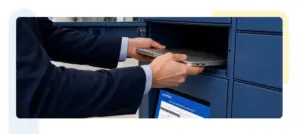
An IT asset dispensing locker is a hardware-software system that combines physical secure storage compartments with identity verification, real-time tracking, and bidirectional ITSM integration. Think of it as a smart vending machine for IT equipment, except every transaction is logged against a user identity, tied to a ticket, and automatically reflected in your asset management database.
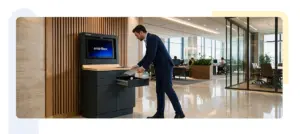
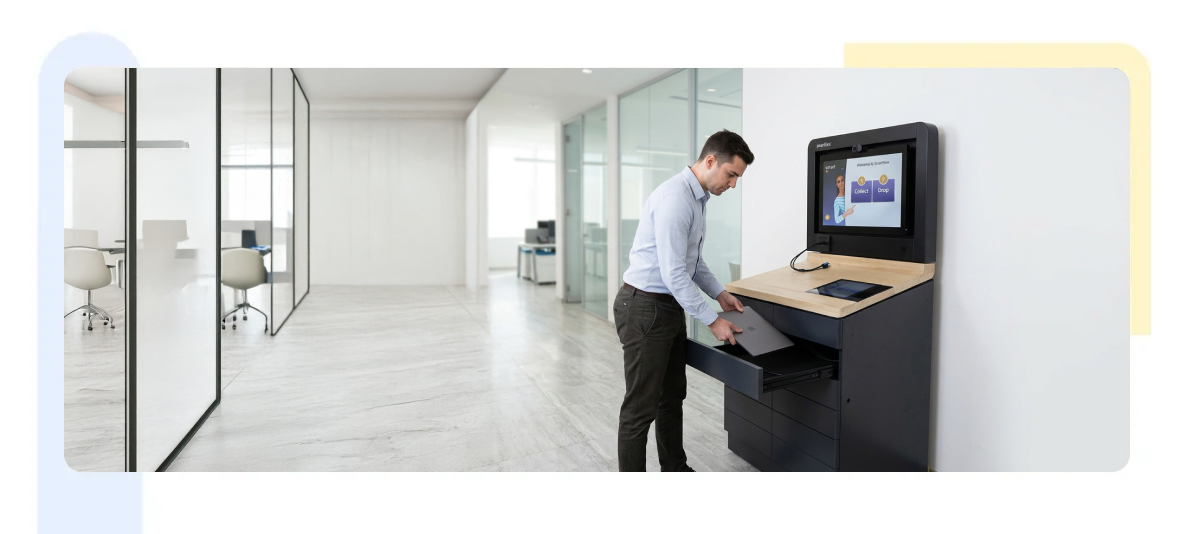
Smartbox’s Smart Serve is a purpose-built locker system designed specifically for enterprise IT operations. It brings together identity-verified access through badge, PIN, or biometric authentication, real-time asset tracking across every compartment, native ITSM connectors for, a built-in screen for remote IT video support, an automated device swap workflow, and full chain-of-custody logging on every transaction.
The physical form factor scales from a single 12-compartment unit at one office location to a networked fleet across multiple floors and campuses, all managed from one centralized dashboard with role-based access control for IT staff at every tier.
Smartbox Smart Serve: Built Specifically for Enterprise IT Teams
Most locker systems on the market were designed for parcel delivery or general storage and later adapted for IT use. Smart Serve is different. It was built from the ground up for the specific operational demands of enterprise IT teams.
Here is what sets Smart Serve apart from generic locker solutions.
- Purpose-built for IT workflows, not retrofitted: Smart Serve is not a package locker with a different label. Every feature, from the compartment size options to the custody transfer logic to the CMDB write events, was designed around how IT operations teams actually manage device fleets. The system understands the difference between a loaner, a swap, a new issue, and a return, and handles each one differently in both the physical workflow and the ITSM record.
- Complete asset accountability at every stage: Smart Serve provides real-time visibility and tracking of every IT asset from the moment it enters the locker to the moment it is returned, repaired, or retired. The system maintains a full chain-of-custody record for every device, covering who accessed it, when, from which locker, and for how long. This level of traceability is not a reporting add-on; it is built into every transaction by default.
- Remote IT support built into the hardware: Smart Serve units include a built-in screen that enables live video support between the employee at the locker and an IT engineer located anywhere. This means that non-standard requests, unusual swap scenarios, or first-time users who need guidance can be handled remotely in real time, without dispatching anyone to the locker location. For multi-site organizations, this effectively gives every office location an on-demand IT presence at the locker.
- Scalable from a single site to a global campus network: A single Smart Serve unit can serve a small regional office. A networked deployment across dozens of locations can be managed from one central dashboard with unified reporting, role-based access control for IT staff at every tier, and consistent policy enforcement regardless of geography. Adding a new site does not require new IT headcount; it requires adding a locker unit to the existing management environment.
- Configurable compartment layouts for mixed device fleets: Not every organization dispenses only laptops. Smart Serve compartments are modular and can be configured in a mixed layout within a single unit, with smaller bays for mobile phones, tablets, and MiFi units alongside larger compartments for laptops and peripherals. The layout is defined at deployment based on your fleet mix and can be reconfigured as your needs change.
- Centralized dashboard with real-time operational visibility: Every Smart Serve deployment is managed through a backend dashboard that gives IT managers a live view of compartment status, asset custody, utilization rates, SLA compliance, and return activity across all locker locations. Reporting is available on demand and can be exported for audit, insurance, or board-level review purposes.
- Virtual assistance for self-service user onboarding: For employees using the locker for the first time, Smart Serve provides on-screen virtual guidance that walks them through the authentication and collection process without requiring IT intervention. This dramatically reduces the volume of support requests generated by the locker system itself during rollout and ongoing operations.
In short, Smart Serve removes the IT manager from the device dispensing loop entirely, while giving them more visibility into device custody and utilization than any manual process could provide. It is the infrastructure layer that makes automated, accountable, always-available IT asset management possible at enterprise scale.
Eliminating Ghost Assets: The Chain-of-Custody Advantage
Ghost assets accumulate through informal loans, inadequate offboarding processes, and the simple failure of manual check-out logs to capture returns. They are the silent budget killers in enterprise IT.
Smart Serve eliminates ghost assets through three interlocking mechanisms.
- Identity-gated release: No device leaves a compartment without a verified identity transaction. Badge scanning, PIN authentication, or biometric verification creates an immutable custody record at the moment of pickup. There is no unsigned transaction and no informal borrow. The locker physically cannot open without authentication.
- Automated return enforcement: When a device is checked out through ITSM integration, a return SLA is automatically set. As the deadline approaches, the system sends escalating reminders via email, Slack, or Teams. If no return is logged by the deadline, an auto-escalation ticket is raised to the employee’s manager, with no manual chasing required from IT.
- Real-time CMDB synchronization: Every custody change, including pickup, return, swap, or compartment transfer, writes to your CMDB immediately. Your asset register always reflects ground truth. Quarterly audits become dashboard check rather than a floor-by-floor inventory exercise.
Organizations that have deployed automated asset dispensing lockers report asset recovery rates above 97%, compared to industry averages of 77 to 82% for manual systems. That delta translates directly into reduced hardware procurement spend and cleaner audit outcomes.
Hot-Desking, Hybrid Work, and the Always-Available IT Desk
Hybrid work has fundamentally broken the assumption that IT support requires co-location. When 40% of your workforce is distributed across remote locations, regional offices, and shared coworking spaces, a staffed IT bar at headquarters serves an ever-shrinking subset of your device demand. Smart Serve lockers are designed for this reality across several dimensions.
They operate 24 hours a day, seven days a week, covering early starters, late finishers, and different time zones without requiring IT staff on call. In multi-site deployments, a single management dashboard controls lockers across every office location, so a London employee picking up a device generates the same automated CMDB update as a Singapore employee.
For organizations running hot-desking models, Smart Serve supports shared day-use loaner pools. Employees check out a device in the morning and return it at end of session. Utilization data from the locker dashboard helps IT right-size the pool, often revealing significant over-provisioning. One financial services firm running this model discovered they were over-provisioned by 18% and used locker utilization analytics to directly reduce their device fleet size.
Contractor and temporary worker management is also handled cleanly. Time-bound access credentials can be issued that expire automatically when an engagement ends, with no IT staff involvement in the offboarding.
The built-in screen on Smart Serve enables remote video troubleshooting between the employee at the locker and an IT engineer anywhere in the world, so complex or non-standard requests do not require physical presence from IT.
ITSM Integration Deep Dive: ServiceNow
The operational value of an asset dispensing locker multiplies significantly when it integrates bidirectionally with your ITSM platform. Smart Serve supports native integration with ServiceNow and Zoho, as well as a REST API for custom CMDB environments.
Smart Serve connects to ServiceNow via the ServiceNow IntegrationHub or direct REST API. Key integration points include the following areas.
Hardware Asset Management (HAM) records are updated on every locker transaction, covering model, serial number, condition, custodian, location, and return date automatically. ITSM ticket lifecycle aligns with physical device state: pickup auto-transitions tickets to “In Progress” and confirmed returns auto-close them, with SLA clocks synchronized between ServiceNow and the locker system.
CMDB CI records stay current without manual reconciliation. Relationship data covering device, user, department, and cost center updates on every custody change. IT managers can also build approval flows in ServiceNow Flow Designer that gate locker access, for example requiring manager sign-off before a device above a certain value tier can be dispensed.
Deployment Considerations for IT Manager
Before approving locker deployment, IT managers typically need answers to four practical questions.
- How does the locker fit into existing physical security?
Smart Serve units are designed for installation in corporate office environments including lobbies, IT rooms, shared floor areas, and dedicated device management zones. They connect via wired Ethernet or Wi-Fi and can integrate with building access control systems so that only badged employees can approach the locker bank.
- What happens when the network goes down?
Smart Serve operates with local cache for authentication and inventory state, allowing basic pickup and return operations to continue during network interruptions. All transactions are queued and synced to the central dashboard and ITSM platform when connectivity is restored. No transactions are lost.
- How are compartment sizes configured?
Locker compartments are modular and can be mixed within a single unit, with smaller bays for handsets and tablets alongside larger compartments for laptops and peripherals. Configuration is customized at deployment based on your device fleet mix and expected transaction volume.
- What does the rollout process look like?
A typical Smart Serve enterprise deployment runs across four phases: site survey and compartment configuration in week one, physical installation and network integration in week two, ITSM connector configuration and user acceptance testing in week three, and staff training plus go-live in week four. Smartbox provides dedicated implementation support throughout.
The ROI Case: What to Put in Your Business Justification
When building internal sign-off for an asset locker deployment, IT managers typically need to quantify three categories of return.
- Direct cost avoidance: Calculate your current ghost asset rate and apply an average replacement cost. At a fleet of 500 laptops with an 18% loss rate and a $900 average replacement cost, that is $81,000 in annual avoidable spend. Even a conservative 50% improvement in recovery rate returns $40,500 per year against the locker investment.
- IT staff productivity recovery: Measure the current time your team spends on dispensing devices, manual log reconciliation, and chasing unreturned assets. At 4.5 hours per 100 devices per week across a 500-device fleet, that is 22.5 hours weekly, roughly 0.6 FTE, redirected toward proactive infrastructure work rather than reactive asset chasing.
- Audit and compliance risk reduction: For organizations subject to ISO 27001, SOC 2, or Cyber Essentials Plus, the ability to produce a complete timestamped chain-of-custody log for every device on demand is a material risk reduction. Quantify this against the cost of audit remediation or the insurance premium impact of poor asset controls.
Conclusion: The Locker is the IT Help Desk
The shift from manual check-out logs to automated asset dispensing lockers is not simply a technological upgrade. It is a fundamental rethink of how device management works in the enterprise.
When the locker handles authentication, custody transfer, CMDB updates, SLA enforcement, and return reconciliation automatically, IT teams stop being device custodians and start focusing on the strategic infrastructure work they were hired to do.
For organizations navigating hybrid work, multi-site operations, or tightening audit requirements, the question is not whether to automate device dispensing. It is how quickly the deployment can be completed.
Smartbox’s Smart Serve is purpose-built for exactly this challenge. If you are evaluating IT asset dispensing lockers for your organization, the Smartbox team can scope a deployment around your device fleet, office footprint, and existing ITSM environment.
FAQs
What types of IT assets can be stored and dispensed through Smart Serve lockers?
How does Smart Serve handle employee offboarding and contractor access termination?
Do employees need IT staff present to collect a device?
Does Smart Serve work with ServiceNow and Zoho?