


Smart lockers for digital workplace environments are becoming a core piece of Digital Workplace Services (DWS), giving IT teams a touchless way to distribute devices, run break-fix exchanges, and manage returns. Instead of routing every handoff through a service desk, employees scan a badge, open a locker, and complete the transaction themselves.
What Are Digital Workplace Services (DWS)?
Digital workplace services are the umbrella term for managed IT offerings that keep employees productive across devices, applications, and locations. Leading DWS providers organize the offering around three goals:
Reshaping the digital employee experience. Contextual, persona-based support that closes the gap between home and office.
Reducing IT support workload through self-service IT. Proactive self-heal and easy to consume technologies that keep issues off the service desk queue.
Transforming and securing the digital work environment. Orchestrating workplace transformation while keeping office and remote environments safe.
DWS contracts run on SLAs: how fast a ticket resolves, how quickly a replacement laptop reaches an employee, how efficiently an onboarding kit ships on day one. As hybrid work stretches IT teams thinner, providers need ways to hit those SLAs without adding headcount. That is one of the clearest digital workplace trends of the last two years, and it is where DWS smart lockers have moved from a facilities afterthought to a named line item in vendor RFPs.
Where Smart Lockers Fit in DWS Framework
Peripheral Vending, Smart Lockers and Support Kiosks Explained
Three hardware categories tend to get grouped together in DWS conversations, and they solve different problems.
IT vending dispenses small, high-volume items like mice, cables, and headsets. No reservation, no assignment, first come dispensing.
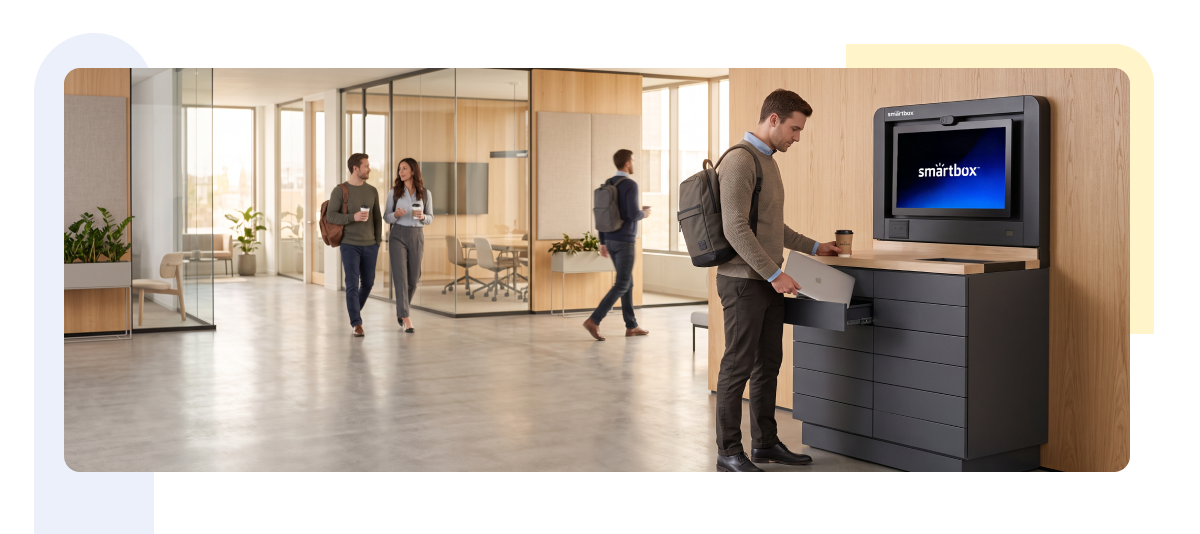
Intelligent lockers hold assigned items tied to a specific employee: a laptop return, a replacement device, an onboarding kit reserved for a start date. Access runs through badge, PIN, QR code, or facial recognition, and every transaction is logged as part of IT asset management.
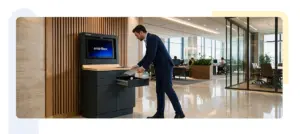
Support kiosks go a step further, an interactive terminal for check-in, diagnostics, or routing to a technician. Some deployments pair a kiosk with a locker bank, so walk-up support and pickup happen at the same point.
Most DWS deployments blend all three: vending for consumables, lockers for tracked assets, kiosks for anything needing a workflow.
Why Smart Lockers Appear in Inclusion Criteria
Smart lockers now show up explicitly in DWS RFPs and vendor scorecards, for reasons that map directly to what buyers already measure.
Device lifecycle management. A locker with a chain of custody logging gives an auditable record of every handoff.
Extended coverage without added headcount. A locker bank does not clock out, so employees across shifts and time zones can pick up or return equipment on their own schedule.
Lower walk-up support volume. Fewer routine pickups at the service desk means staff can focus on issues that need a person, which is the core promise of IT service desk automation.
6 Digital Workplace Use Cases for Smart Lockers
Contactless IT Device Distribution
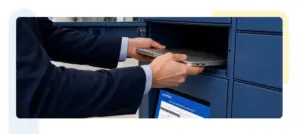
An employee requests a laptop or docking station through the service portal. IT stages it in a Smartbox Storage Locker, the system sends a pickup code, and the employee collects it on their own schedule, no technician needed for a routine handoff.
Break-Fix and Device Exchange
A locker bank lets IT stage a loaner in one compartment while the employee drops the faulty device in another, often in the same visit. With RFID or badge authentication tied to each compartment, the exchange logs itself automatically instead of requiring a technician to record it by hand.
New Hire Onboarding Kits
A complete kit, laptop, badge, peripherals, staged ahead of a start date removes the risk of a missing item or an empty desk on day one. This is one of the highest visibility moments in digital employee experience, and one of the easiest to get wrong manually.
Asset Returns and Offboarding
A self-service return locker gives departing employees a way to hand back company property with a timestamped confirmation; no meeting required. For IT teams managing endpoint management across a distributed workforce, that timestamped record closes a compliance gap a sign-out sheet never could.
Peripheral and Accessory Dispensing
Cables, adapters, and headsets move to vending-style compartments, cutting out a category of low value tickets that never needed a technician in the first place.
Day-Use Lockers for Hybrid Teams
Secure, end of shift release lockers support hot-desking and hybrid workplace technology without requiring a permanently assigned storage space for every employee.
Business Outcomes: From Cost Savings to Employee Experience
Business
- Enhanced employee experience technology across the hybrid workplace
- Improved efficiency and productivity for IT operations
- Higher employee satisfaction with everyday IT touchpoints
Technology
- Workplace automation reducing manual handoffs
- Zero-touch provisioning of hardware and peripherals
- Auditable, identity-linked chain of custody for every asset transaction
Together, these outcomes are why locker infrastructure is moving from a facilities line item to a measured part of the DWS scorecard.
How Smartbox Lockers Enables DWS-Grade Locker Workflows
Smartbox lockers are purpose-built for identity-linked, auditable device handoffs. RFID and badge-based authentication tie every compartment opening to a specific employee, giving DWS providers the contactless IT support and chain-of-custody logging that IT asset management lockers require, without adding a manual step. AI camera-based self-registration extends that same identity check to employees who are not yet badge-provisioned, useful for contractors and new hires on their first day.
Configurable compartment sizes across the Smartbox Storage Lockers and Smart Serve Locker product lines support everything from a single peripheral to a full onboarding kit with a laptop and accessories, and the same locker bank runs vending-style dispensing alongside assigned-item pickup. Multilingual terminal support means the workflow holds up across a distributed, multi-region workforce rather than only English-speaking sites.
Built on integration-ready APIs, Smartbox lockers connect into the ticketing and asset workflows a DWS provider already runs, so a pickup or return can trigger a ticket update instead of sitting outside the system of record. For enterprise deployments, the locker becomes part of the existing service desk workflow; not a separate tool IT has to manage on its own.