


As digital workplaces continue to evolve, businesses are adopting smart IT support lockers to simplify device distribution, improve asset accessibility, and enable contactless IT services. A smart IT support locker provides a secure and automated solution for employees to collect, return, and manage IT equipment without requiring direct assistance from support teams.
Unlike traditional storage methods, modern locker systems combine secure storage, automation, and digital management capabilities to improve IT operations. These smart locker systems help organizations reduce manual processes, provide real-time monitoring, and create a more efficient experience for employees across multiple locations.
There is something slightly strange about the way we still solve some IT problems.
A laptop stops working. An employee raises a ticket. The service desk looks into it. A technician is assigned. Someone finds a suitable time, walks over to the employee, exchanges the device, and walks away again.
The problem may have taken five minutes to solve. The journey took a considerably longer period.
This is where contactless IT support becomes interesting. Not because it promises to remove people from IT, but because it asks a simpler question: does a person really need to be there?
For routine device exchanges, often the answer is no.
A smart locker can act as the missing link between the digital world of the IT ticket and the physical world of the device. An employee can be notified when a replacement laptop is ready, authenticate their identity, collect the device, and get back to work without waiting for a technician to arrive.
It is a small change to the process.
Sometimes, small changes are the ones that matter.
The Problem with Traditional Deskside and Field Support
Deskside support is useful when a problem genuinely needs a technician’s presence. But not every IT incident is a technical problem.
Sometimes, the laptop simply needs to be replaced. A new employee needs a device. A mobile phone needs to be collected. A broken keyboard needs replacing it.
Yet these routine tasks can still create a physical chain of events.
A technician has to be available. The employee has to be available. The device has to be moved. The ticket has to be updated. And somewhere in the middle of it all, everyone has to wait.
Rising Cost per Ticket and Technician Dispatch
The cost of a deskside visit is not only the technician’s salary.
There is travel time, scheduling, administration, coordination, and, perhaps most importantly, the time a skilled technician could have spent solving a more complicated problem.
This is why organizations are looking at deskside support alternatives, including IT device vending, self-service exchanges, and smart lockers.
The idea is not to automate everything. It is to separate the tasks that require expertise from the tasks that simply require access.
A technician may need to diagnose why a laptop keeps crashing.
They probably do not need to physically hand the replacement laptop to the employee.
The “Watermelon Effect”: Green SLAs, Red Experience
There is another problem that numbers do not always capture.
An IT ticket can be resolved within its SLA and still leave an employee frustrated.
This is sometimes called the watermelon effect. The outside looks green, but underneath it is red.
The service desk responded on time. The technician was assigned. The ticket was technically progressing. Yet the employee was still waiting for a working device.
This is where XLA, or Experience Level Agreement, enters the conversation. IT support is increasingly being judged not only by how quickly a ticket is closed, but by how the experience feels to the person who raised it.
And waiting for someone to walk across the office is rarely the most memorable part of a good support experience.
How Smart IT Support Lockers Work
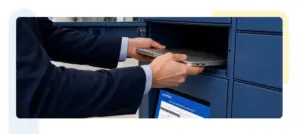
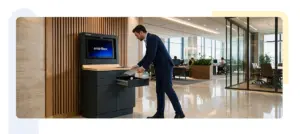
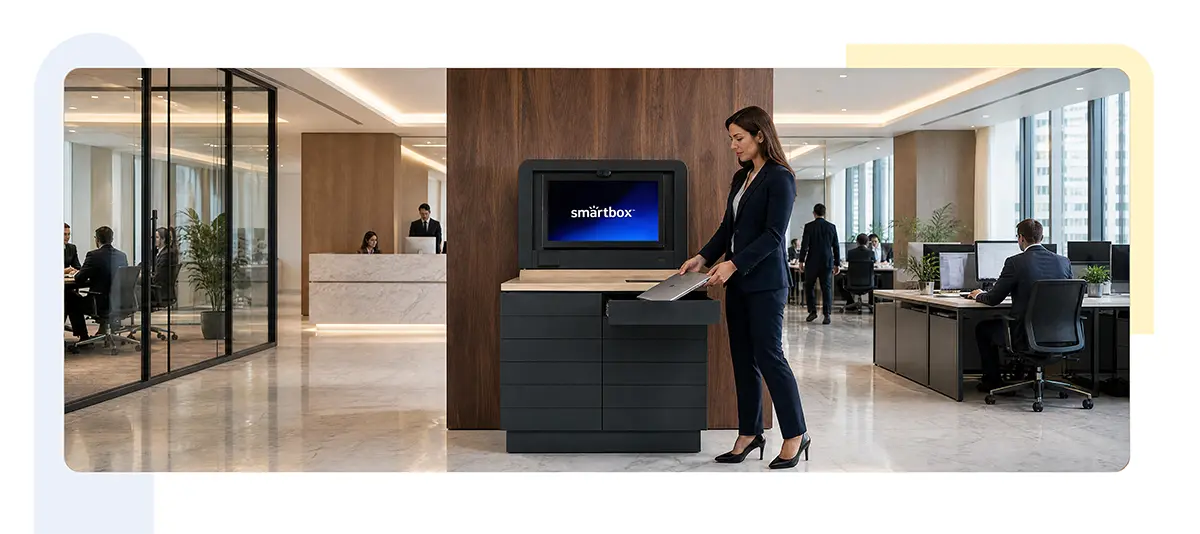
A smart IT support locker works by combining secure storage hardware with intelligent management software. Employees can access assigned devices using authentication methods such as a PIN or QR code, allowing them to securely collect or return laptops, accessories, and other IT assets.
These locker systems include features such as charging ports, automated access control, and real-time monitoring capabilities. The integrated management software enables IT teams to track inventory, monitor usage, and manage device availability across multiple sites.
By automating everyday IT processes, smart lockers reduce manual intervention and improve day-to-day operations while providing employees with a user-friendly support experience.
The simplest way to think about a smart locker is as a secure physical extension of the service desk.
The IT team still manages the ticket. The ITSM platform still manages the workflow. The locker simply becomes the place where physical exchange happens.
How It Works
- The employee raises a ticket.
The request enters the organization’s existing ITSM or service desk workflow.
- IT approves the device exchange.
A replacement device is prepared and assigned to the employee.
- The device is placed in a smart locker.
The laptop, phone, tablet, or other IT assets are deposited into a secure compartment.
- The employee receives a notification.
Once the device is ready, the employee receives instructions for collection.
- The employee collects the device.
Using a QR code, PIN, badge, or another approved authentication method, the employee accesses the assigned compartment and retrieves the device.
And that is an important part.
The device still moves.
The ticket still moves.
But the technician does not necessarily have to.
Ticket-to-Locker Workflow and ITSM Integration
A smart locker becomes considerably more useful when it is connected to the workflows an IT team already uses.
For organizations using platforms such as ServiceNow, the locker can become another step in the existing ITSM process rather than a separate system employees have to learn.
A ticket can lead to an approved device exchange. The asset can be assigned and deposited. The employee can be notified. The collection can then form part of the record of the transaction.
This model can work for more than laptop replacements. It can support new-joiner provisioning, employee offboarding, device swaps, break-fix exchanges, asset returns, and equipment distribution.
In other words, the locker does not replace the service desk.
It gives the service desk a physical point of execution.
Secure Pickup and 24/7 Availability
Of course, a corporate laptop cannot simply be left somewhere and collected by whoever happens to walk past.
Security has to sit at the center of the experience.
Smart lockers can use controlled access methods such as QR codes, PINs, or employee badges, allowing organizations to determine who can access a particular device. Asset movement and collection can also be recorded as part of the wider process.
There is another advantage that is easy to overlook: time.
Not every employee works from nine to five.
A warehouse employee may begin a shift at 6 AM. A retail worker may finish late in the evening. A global team may operate across several time zones.
For these employees, a smart locker can provide frontline worker IT support without asking them to organize their day around the IT desk.
The device can be waiting when they are ready.
What Does Contactless IT Support Actually Improve?
The technology itself is only half of the story. The more useful question is what changes afterwards.
One obvious measure is MTTR, or Mean Time to Resolution.
A device incident can spend surprisingly little time being worked on, and a great deal of time being waited on. Waiting for approval, waiting for a technician, waiting for an appointment, and waiting for the physical exchange can all stretch the resolution journey.
A locker-based device exchange cannot solve every technical problem. What it can do is remove some of the waiting from routine ones.
There is also the question of cost.
Instead of looking only at the price of a locker, organizations should look at the full cost of the process they are replacing. Technician time, travel, administration and the number of routine physical visits all form part of the equation.
The larger the organization, the more quickly small inefficiencies accumulate.
Then there is a CSAT.
Employees generally do not care how elegant an IT workflow is behind the scenes. They want their device, their access, and their ability to work back.
If that can happen without an appointment or a technician visit, the experience changes.
Sometimes good IT support is the kind that barely announces itself.
Benefits of Smart Locker Systems for Modern IT Support
Organizations implementing smart locker systems gain several operational benefits, including:
- Secure storage: Protects valuable IT equipment through controlled access and monitored environments.
- Reducing manual processes: Minimizes dependency on IT teams for routine device collection and returns.
- Real-time monitoring: Provides visibility into locker usage, device availability, and asset movement.
- Multi-site support: Enables organizations to manage IT assets across different offices and locations.
- Integration with existing systems: Smart lockers can integrate with existing IT service management platforms and workflows.
These capabilities help businesses build a scalable IT support model while improving employee productivity and operational efficiency.
Designing a Contactless Support Programme with Smartbox Lockers
The best place to begin is not the locker. It is with the tickets.
Look at the incidents that repeatedly involve physical exchanges. Laptop replacements. Device returns. Peripheral distribution. New starter equipment. Break-fix swaps.
Then ask: does this actually require a technician to be there?
If the answer is no that process may be a good candidate for contactless support.
The next step is to connect the physical exchange to the existing ITSM and asset management workflow. Employees should not have to learn an entirely new system just to collect a laptop. The experience should feel like a natural continuation of the ticket they already raised.
Security should be designed into the process from the beginning, with clear rules around authentication, access, asset assignment, and returns.
And finally, measure what changes.
Track MTTR, technician hours, deskside visits, device exchange time, ticket resolution time, CSAT and locker utilization.
The purpose is not to prove that smart lockers are clever. It is to find out whether they are making IT support better.
The Desk May Not Need to Disappear
Imagine a laptop failing at 8 PM.
In one version of the story, the employee waits until the next morning, contacts IT, waits for approval, and eventually waits for someone to bring a replacement.
In another, the replacement device is already waiting in a secure locker.
The employee receives a notification, walks over, authenticates, collects the laptop, and returns to work.
Nothing dramatic has happened.
And perhaps that is the point.
Contactless IT support is not about removing the human from IT. It is about removing the human from the parts of IT that never needed a human in the first place.
Smart lockers can turn routine device issuance, exchange and return into a simpler self-service experience while allowing IT teams to spend their time on problems that genuinely require their expertise.
The desk can remain. It just does not have to be the answer to everything.