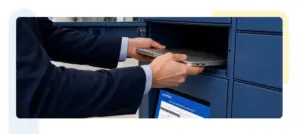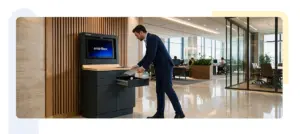


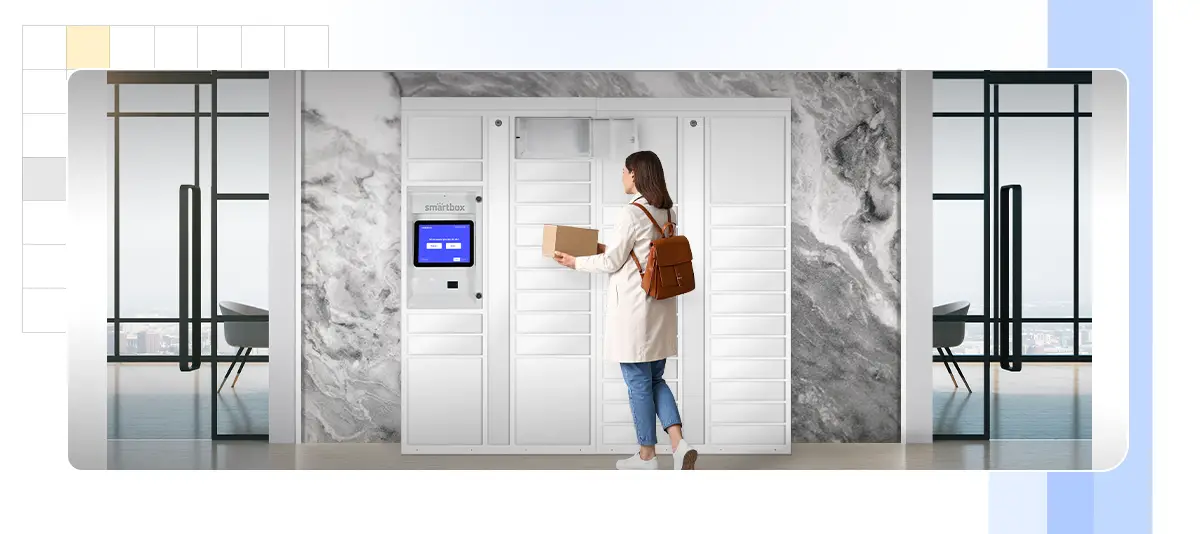

Self storage lockers are electronically controlled compartments that let employees, couriers, and technicians deposit and collect items without a staff handover. Unlike a keyed cabinet or a rented storage unit, every access event is authenticated and logged, compartments can be reassigned in software rather than rekeyed, and capacity scales by adding modules instead of leasing more floor space.
Enterprises are adopting them because hybrid working, rising delivery volumes, and tighter asset-tracking requirements have all outgrown what a locked cupboard and a sign-out sheet can handle.
Businesses today manage more packages, shared assets, and operational items than ever before. As workplaces become more flexible and delivery volumes increase, traditional storage methods struggle to keep up. The result is familiar to most facilities teams: overflowing mailrooms, laptops that cannot be traced, and staff spending hours a week on handovers that should take seconds.
What Are Self Storage Lockers?
Self storage lockers are secure, self-service compartments used to store packages, documents, equipment, and personal items. They can be installed indoors or outdoors and are managed through a central digital system rather than a physical key cabinet.
Three characteristics separate them from conventional storage:
- Controlled access. Users authenticate with a PIN, QR code, RFID badge, or mobile credential. Access rights are assigned in software and can be revoked instantly.
- Real-time visibility. Managers see which compartments are occupied, by whom, and for how long, without walking the floor.
- Flexible configuration. Compartment sizes and assignment rules can be changed as needs shift, instead of being fixed at the moment of purchase.
The Smart Storage range is built around these principles, with tamper-resistant construction and a single management dashboard covering every unit in a deployment.
Why Traditional Storage Is Failing Enterprises
Manual storage systems lead to clutter, misplaced items, and time wasted searching for belongings. As teams grow and operations scale, these issues compound quickly.
The specific failure points are consistent across organisations:
Shared keys create untraceable access. When a key is copied or passed around, there is no record of who opened what. In a dispute over a missing item, there is nothing to check.
Manual registers are only as good as compliance with them. Sign-out sheets get skipped when people are busy, which is exactly when accuracy matters most.
Staff become the bottleneck. If retrieval requires a person at a desk, nothing can be collected outside their working hours, and every collection consumes their attention.
Fixed capacity does not flex. A cupboard sized for a 2019 workforce does not accommodate a hybrid team that rotates through the office on different days.
Locker systems introduce structure into these workflows. Items sit in designated compartments, access is logged, and accountability is maintained by default rather than by discipline.
Self Storage Lockers vs. the Traditional Storage Unit
Enterprises weighing options usually compare three models: an on-site keyed cabinet, an off-site rented storage unit, and an automated locker bank. They solve different problems.
A keyed cabinet is cheap and immediate, but offers no audit trail, no remote management, and no way to reassign space without physically rekeying.
A rented storage unit provides volume at low cost per square foot, which suits archival records or seasonal inventory. It fails for anything needed day to day: retrieval means travel, access is limited to facility hours, and there is no item-level tracking inside the unit.
Self storage lockers occupy the middle ground – on-site, always available, item-level tracked, and reconfigurable in software.
| Common Concerns | Keyed cabinet | Off-site storage unit | Self storage lockers |
|---|---|---|---|
| Access hours | Business hours | Facility hours | 24/7 |
| Audit trail | None | Gate log only | Per compartment, per event |
| Retrieval time | Minutes | Hours | Seconds |
| Reassign space | Rekey required | New contract | Software change |
| Cost per unit of space | Low | Lowest | Higher |
| Suits daily-use items | Poorly | No | Yes |
The practical conclusion for most enterprises is not that one replaces the others, but that a storage unit is the wrong tool for anything with daily circulation — and that is precisely where lockers earn their cost.
How Self Storage Lockers Work
The workflow is deliberately short, because every additional step is a step someone will skip.
- Deposit. A user, courier, or technician authenticates at the terminal. The system assigns an available compartment sized to the item and opens the door.
- Assignment. The item is linked to a recipient, an asset record, or a job ticket. For IT equipment, this ties the compartment to the specific device serial being issued or returned.
- Notification. The recipient is notified automatically by app, email, or SMS, with a one-time credential for collection. No one has to be told in person.
- Collection. The recipient authenticates and retrieves the item at whatever hour suits them. The compartment returns to the available pool immediately.
- Logging. Every open and close is timestamped against a user identity, producing a chain-of-custody record that stands up in an audit.
Where Enterprises Deploy Self Storage Lockers
Modular design allows the same platform to fit small offices and large facilities. Common deployments include:
- Corporate offices — internal mail, employee belongings, and equipment issue through office and commercial locker installations
- IT departments — laptop, headset, and peripheral distribution and return via IT asset management lockers
- Retail spaces — click-and-collect orders and staff item storage in retail environments
- Logistics hubs — temporary parcel holding across supply chain operations
- Field service and depots — parts, tools, and returns handled through a depot locker model
- Universities — student and faculty storage across campus environments
- Branch banking — secure document and item exchange in customer-facing branches
How Lockers Support Flexible and Hybrid Workplaces
Modern workplaces rely on shared desks, rotating teams, and hybrid schedules. Assigned pedestals and fixed cabinets were designed for an era when everyone had a permanent seat.
Automated lockers let the same physical compartment serve different people on different days. An employee in three days a week claims a locker on arrival and releases it on departure, so a bank of 60 compartments can serve a workforce of 150. Facilities teams get utilisation data showing whether that ratio is right, and can adjust rather than guess.
This matters most during office-attendance changes, where storage is often the overlooked constraint. Our guide to return-to-office and hybrid work covers the wider planning picture.
Security, Audit Trails, and Compliance
Security is a primary reason enterprises choose automated storage over conventional alternatives. Each compartment uses controlled access so only authorised users can retrieve stored items, and every interaction is logged digitally.
That log does more than deter theft. In regulated environments, it provides evidence of custody for controlled items – devices holding client data, controlled tools, sensitive documents. When an auditor asks who had possession of a given asset on a given date, the answer is a query rather than an investigation.
Digital access control also removes the largest ongoing security gap in keyed systems: the departing employee who never returned a key.
Scaling Capacity as the Business Grows
As organisations expand, storage requirements increase – usually faster than anyone forecast. Modular systems are designed to scale without disrupting operations.
Additional locker modules can be added to an existing installation over time, sharing the same management platform and user credentials. Capacity grows in increments that match actual demand, rather than requiring an oversized initial purchase or a disruptive replacement two years in. This makes automated storage a long-term investment rather than a short-term fix.
Visibility, Reporting, and Capacity Planning
The management platform provides visibility into locker usage and storage patterns. Managers can see peak demand periods, average dwell time, and which sites or departments are running near capacity.
That data answers questions facilities teams usually have to guess at: whether a floor needs more compartments or fewer, whether a size mix is wrong, whether a site is genuinely constrained or just poorly configured. Our case studies show how those decisions play out across live enterprise deployments.
What to Evaluate Before You Buy
Not every system suits every environment. Five things are worth checking before committing.
Compartment size mix. Storage profiles differ enormously between an IT department issuing laptops and an office storing coats and bags. Confirm the mix is specified at configuration and reconfigurable later.
Integration with existing systems. The platform should connect to your identity provider, asset management database, or property management system. Standalone systems create a second set of records that immediately drifts out of sync.
Indoor and outdoor rating. If any deployment sits in an unconditioned space — a loading dock, a courtyard, a depot yard — confirm the enclosure and electronics are rated for it.
Support and uptime commitments. A locker bank that is offline is worse than a cupboard, because nobody has a key. Check response times and whether mechanical override exists.
Sustainability credentials. Enterprises with ESG reporting obligations should confirm how a deployment affects device lifecycle and reporting. Our piece on smart lockers and ESG goals covers this in detail.
Conclusion
For enterprises managing shared items, frequent handovers, or growing storage demands, self storage lockers offer measurable value. They simplify storage, strengthen security through auditable access, and remove manual effort from workflows that quietly consume staff hours.
By bringing structure and control to everyday storage needs, automated locker systems help organisations operate efficiently and stay adaptable as workplace models continue to change.
FAQs About Self Storage Lockers
What is the difference between a self storage locker and a storage unit?
How many lockers does an office need?
Can lockers be installed outdoors?
Do smart lockers work without an internet connection?
What happens when an employee leaves?
Related Reading
- Smart Storage: Storage Solutions for Any Business
- Return-to-Office & Hybrid Work: Smart Lockers for the Flexible Workplace
- Sustainable IT: How Smart Lockers Advance ESG Goals in the Digital Workplace
- Modernizing Field & Depot Services: The Smart Locker Depot Model
- Global Growth of Smart Lockers: Key Trends and Applications