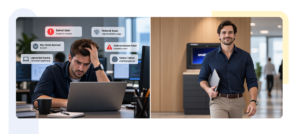



The office is coming back. But it is not coming back the way it left.
Desks are becoming shared. Teams are gathering on different days. Employees move between meeting rooms, collaboration spaces and hot desks rather than spending every working day in one assigned seat. IT equipment moves with them.
The return to the office, therefore, is not simply about bringing people back into a building. It is about redesigning the building around a workforce that has learned to work differently.
That shift creates a surprisingly practical question:
Where do people keep the things, they need when the workplace itself is no longer fixed?
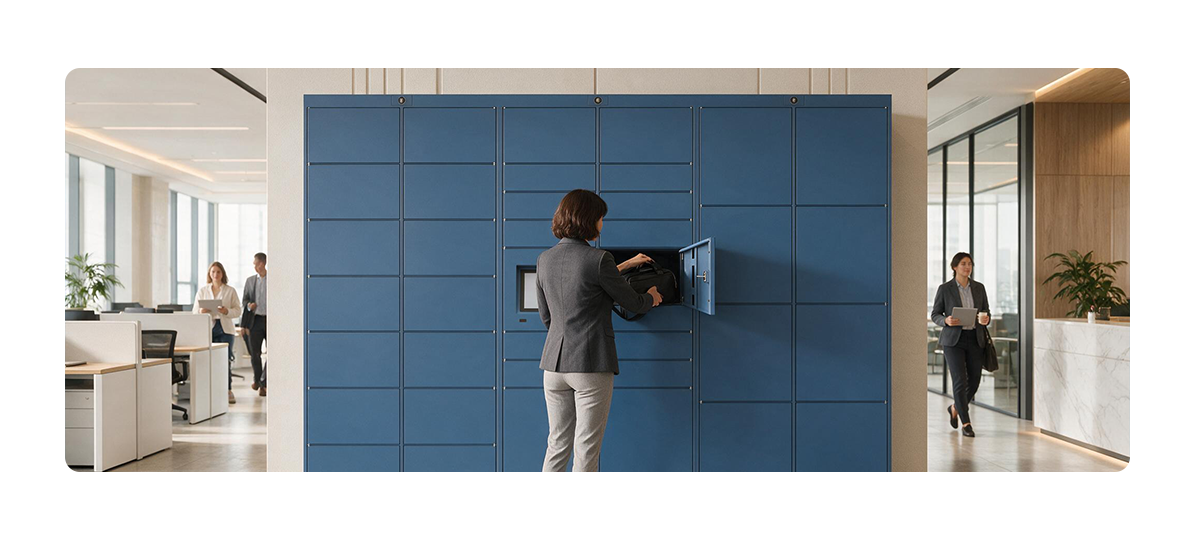
Smart lockers for hybrid workplace environments offer one answer. They provide secure, on-demand storage for employees while creating a digital layer for managing belongings, workplace resources, and IT assets.
And the opportunity goes beyond storage.
A well-designed smart locker can become part of the employee journey, helping workplace and IT teams remove small points of friction from the moments that matter.
Snippet: Smart lockers can simplify hybrid workplace storage, support hot desking and IT asset exchange, and create a more flexible employee experience.
What Are Smart Lockers for Hybrid Workplaces?
Snippet: Smart lockers are digitally managed storage systems that provide employees with secure, on-demand access to personal belongings, work equipment and IT assets. In hybrid workplaces, they provide flexible storage without requiring employees to have permanently assigned desks or lockers.
Traditional workplace storage was designed around permanence.
One employee.
One desk.
One locker.
Hybrid work has disrupted that equation.
An employee may work from home on Monday, come into the office on Tuesday, use a different workstation on Wednesday, and work from another location on Thursday. Storage now needs to follow the employee rather than the desk.
That is where smart lockers become useful.
They can support:
- Day-use storage for bags, personal belongings and work materials
- Hot desking storage for employees without assigned workstations
- IT asset exchange for laptops, peripherals and other devices
- Employee onboarding and offboarding through controlled device issuance and returns
- Multi-location asset movement across offices
- Self-service access outside conventional support hours, depending on the operating model
The distinction is subtle but important.
A traditional locker answers:
“Where can I keep my things?”
A smart locker can answer:
“How can the workplace make the things I need available to me, securely and when I need them?”
That is a much more useful question for a flexible workplace.
Why Are Smart Lockers Becoming Important for Return-to-Office?
Snippet: Smart lockers help return-to-office strategies move beyond attendance by making the physical workplace more flexible, self-service, and responsive to how employees work. They can support shared workspaces, secure storage, and IT asset exchange while reducing everyday friction.
The return-to-office conversation has matured.
Organizations are increasingly moving from broad hybrid policies toward more structured attendance. But bringing people into the office is only one part of the equation.
The harder question is:
What happens when they get there?
If employees are expected to work differently from how they worked before, the workplace infrastructure has to change with them.
The office is becoming a service environment
A modern employee’s workplace journey may look something like this:
Arrive → find a workspace → store belongings → access equipment → collaborate → move between spaces → collect or return an asset → leave.
Every transition is a potential point of friction.
A missing desk, a laptop waiting at IT, a bag with nowhere secure to go, a device that needs to be returned, a facilities request that requires a person to be physically present.
None of these moments are particularly dramatic. But collectively, they shape employee sentiment.
This is why the conversation around return-to-office technology needs to move beyond desks, meeting rooms, and occupancy.
The workplace is also a collection of everyday services.
And those services need to work as flexibly as the people using them.
How Do Smart Lockers Work in a Hybrid Workplace?
Snippet: Smart lockers combine secure physical compartments with digital authentication and management software. Employees receive access to an assigned locker or asset, while administrators can control access, monitor usage and integrate locker activity into wider workplace or IT workflows.
Technology is straightforward. The value comes from what happens around it.
- A locker is assigned digitally
An employee can be assigned a compartment using a QR code, PIN, RFID credential, mobile credential, or another approved authentication method.
The assignment can be temporary rather than permanent.
That makes smart lockers naturally suited to hot desking and flexible work environments.
- The employee accesses the locker when needed
The employee authenticates and opens the assigned compartment.
There is no physical key to carry and, depending on the configuration, no need for a facilities employee to be present.
The best workplace technology should feel almost invisible.
The employee should experience the outcome, not the complexity behind it.
- The transaction becomes traceable
Digital locker systems can record access, assignments, and usage.
For Facilities teams, this can create greater visibility into storage utilization.
For IT teams, it can support asset custody and exchange.
For security teams, it can provide a more controlled alternative to unmanaged physical handoffs.
- Assets can move through the same infrastructure
Consider a laptop replacement.
In a conventional model:
Ticket raised → IT prepares device → employee coordinates pickup → old device is returned → IT updates records.
A smart locker can introduce another model:
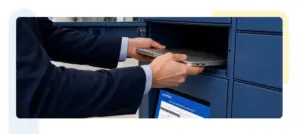
IT prepares device → device is secured in locker → employee receives access → employee collects device → old device is returned through a controlled process.
The locker has changed from storage infrastructure to an exchange point.
- The locker can connect with the wider digital workplace
The strongest implementations do not operate as isolated hardware.
Depending on the organization’s technology environment, smart lockers can connect with identity systems, IT service management platforms, workplace applications, and other enterprise workflows.
That creates an important bridge between digital and physical employee experience.
How Do Smart Lockers Improve Employee Experience?
Snippet: Smart lockers improve employee experience by removing small, recurring points of friction from the workplace journey. They give employees self-service access to storage and equipment while allowing IT and Facilities teams to deliver physical services with less manual coordination.
Employee experience is often measured through CSAT, NPS, employee sentiment, engagement surveys, or an IT experience score.
But these metrics tell leaders what employees feel.
They do not always reveal which moments made them feel that way.
That is where employee journey mapping becomes valuable.
Focus on the moments that matter
A new employee waiting for a laptop is a moment that matters.
An employee arriving at the office without a secure place for their bag is a moment that matters.
An employee having to schedule a physical appointment simply to exchange a device is a moment that matters.
These small interactions can influence how employees perceive the organization.
Smart lockers can help redesign these moments around self-service, convenience, and predictability.
From employee experience to total experience
The modern workplace is not divided neatly between HR, IT and Facilities. The employee experiences all three as one organization.
- A broken laptop is an IT problem.
- Waiting for a replacement is an employee experience problem.
- Walking across the office to collect it is a workplace problem.
A smart locker can sit at the intersection of these functions.
This is where concepts such as total experience, digital experience monitoring, and DEX tools become relevant.
The objective is not simply to digitize another workplace process.
It is to connect the physical interaction with the broader digital employee journey.
How Do Smart Lockers Support Hot Desking?
Snippet: Smart lockers complement hot desking by providing employees with secure storage even when they do not have a permanently assigned workstation. Day-use lockers allow storage capacity to be shared dynamically across a flexible workforce.
Hot desking changes the relationship between people and physical space.
When employees no longer have a permanent desk, the question of personal storage becomes more important, not less.
A permanent locker for every employee may create unused capacity.
No storage may create friction.
Day-use smart lockers provide a middle ground.
Employees receive storage when they need it, release it when they leave, and allow the same capacity to serve another employee.
This changes storage from an individually owned resource into a shared workplace service.
That distinction becomes increasingly important as organizations look at space utilization.
The objective is not to create more storage for the sake of storage.
It is to make the storage capacity already available to work harder.
How Can Smart Lockers Support IT Asset Management?
Snippet: Smart lockers can support IT asset management by creating secure, self-service points for device issuance, collection, replacement, and return. This can reduce routine physical handoffs and give IT teams greater visibility into asset movement.
The traditional IT service desk was designed around the world where employees came to IT.
Hybrid work changes that. The employee may be in another building. The IT team may support several locations. The device may need to be collected after hours. A replacement may need to be available before the employee arrives. Smart lockers introduce a physical layer of automation.
A new model for IT support
Instead of:
Employee → IT desk → physical handoff
the model can become:
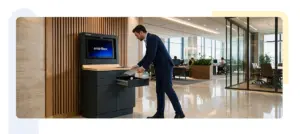
Employee → digital request → secure locker → self-service exchange
This does not mean replacing IT support.
It means reserving human intervention for situations where human expertise adds value.
- Routine device collection can become more self-service.
- Asset handoffs can become more structured.
- And IT teams can spend less time coordinating physical transactions.
That can be particularly relevant when organizations measure service-level agreements, experience-level agreements, resolution time, CSAT and IT experience scores alongside traditional ticket volumes.
The goal is not simply to make IT faster.
It is to make IT more available for the work that actually requires IT expertise.
What Are the Best Smart Locker Use Cases for a Hybrid Workplace?
Snippet: The best smart locker use case depends on the workplace problem being solved. Day-use lockers are suited to personal storage and hot desking, while asset lockers can support device issuance, returns and IT asset exchange. Larger workplace strategies may combine both.
Day-use employee storage
Designed for employees who need secure storage during the working day.
Best suited for:
- Hot desking
- Flexible seating
- Shared offices
- Multi-shift workplaces
- Employees without assigned desks
IT asset exchange
Designed for controlled movement of technology assets.
Best suited for:
- Laptop issuance
- Device replacement
- Device returns
- Peripheral distribution
- Employee onboarding
- Employee offboarding
Shared workplace resources
Smart lockers can also support the controlled distribution of equipment such as:
- Headsets
- Chargers
- Collaboration devices
- Access equipment
- Shared work materials
The important point is that organizations do not necessarily need to choose between employee storage and IT asset management.
A thoughtfully designed locker ecosystem can support multiple workplace journeys.
How Do You Choose the Right Smart Locker Solution?
Snippet: The right smart locker solution should be selected based on employee journeys, workplace utilization, security, integrations, and operational requirements rather than hardware alone. The best solution fits into existing workplace and IT workflows instead of creating another disconnected system.
- Start with the employee journey
Map what employees currently experience.
For example:
Arrival → workspace → storage → equipment → work → device exchange → departure
Identify where waiting, physical handoffs or uncertainty occur.
This is employee journey mapping applied to physical infrastructure.
- Define the primary use case
Determine whether the main requirement is:
- Personal storage
- Hot desking
- IT asset exchange
- Employee onboarding
- Device returns
- Multi-site asset movement
- Shared equipment
The solution should follow the workflow, not the other way around.
- Design for different personas
A locker system will serve multiple stakeholders.
Employees want simplicity.
IT leaders want control and integration.
Facilities leaders want utilization and operational visibility.
Security teams want authentication and auditability.
HR and workplace leaders want a better employee journey.
This is where persona-based IT support and total experience thinking become useful.
One physical system can support several personas without requiring every user to understand the underlying technology.
- Evaluate integrations
Before choosing a solution, understand how it will fit into the existing technology environment.
Consider integrations with:
- Identity and access management
- IT service management
- Asset management platforms
- Workplace applications
- Employee directories
- Notification systems
- APIs and enterprise workflows
The goal should be simple:
One workplace experience, not another system to manage.
- Define the success metrics
Do not measure success only by the number of lockers installed.
Measure what changed.
Useful indicators can include:
- Locker utilization
- Asset turnaround time
- Device collection time
- Manual handoff volume
- Support resolution time
- Employee sentiment
- CSAT
- NPS
- IT experience score
- Space utilization
- Workforce productivity indicators
This turns a locker installation into a measurable workplace transformation initiative.
What Are the Common Mistakes When Implementing Smart Lockers?
Snippet: The most common smart locker mistakes are treating lockers as furniture, designing permanent allocation, overlooking IT integration, creating another disconnected employee system, and measuring installation rather than business outcomes.
Treating lockers as furniture
A smart locker is not simply a metal compartment with a digital lock.
It is physical infrastructure connected to a digital service.
The hardware matters.
But the workflow around it matters just as much.
Designing around permanent allocation
Hybrid workplaces are dynamic.
If every employee receives a permanent locker, organizations may recreate the rigidity they were trying to eliminate through hot desking.
Day-use and dynamically assigned lockers can create greater flexibility.
Creating another disconnected system
Employees already interact with multiple workplace technologies.
Adding another standalone application can increase cognitive load rather than reduce it.
The locker should ideally fit into existing identity, IT and workplace workflows.
Ignoring the IT use case
A laptop is simultaneously:
- An IT asset
- A workplace resource
- A productivity tool
- An employee experience touchpoint
Treating these separate problems can result in duplicated infrastructure and missed opportunities for automation.
Measuring installation instead of impact
“1,000 lockers installed” is an implementation metric.
“Reduction in manual asset handoffs” is an outcome.
The second tells leaders whether the investment actually changed the workplace.
Frequently Asked Questions About Smart Lockers for Hybrid Work
Are smart lockers useful for hybrid work?
Snippet: Yes. Smart lockers provide secure, flexible storage for employees who do not have permanently assigned desks and can also support IT asset exchange, device returns and shared workplace resources.
What is day-use lockers?
Snippet: Day-use lockers are temporarily assigned storage compartments that employees can use during their time in the workplace. They are particularly suited to hot desking and flexible office environments.
Can smart lockers be used for IT asset management?
Snippet: Yes. Smart lockers can support device issuance, returns, replacements and exchanges, allowing IT teams to create more controlled and self-service asset workflows.
Can smart lockers support hot desking?
Snippet: Yes. Smart lockers complement hot desking by giving employees secure storage without requiring each person to have a permanently assigned desk or locker.
How do smart lockers improve employee experience?
Snippet: Smart lockers reduce everyday workplace friction by giving employees convenient, self-service access to belongings and equipment while reducing unnecessary physical coordination with IT and Facilities teams.
Can smart lockers integrate with IT systems?
Snippet: Enterprise smart locker solutions can integrate with IT service management, identity systems, asset management platforms and other workplace technologies, depending on the platform and configuration.
Conclusion: The Flexible Workplace Needs Flexible Infrastructure
The future of work will not be defined simply by whether employees work from home or from the office. It will be defined by how easily the workplace can adapt to the way people work. A flexible workplace needs flexible desks, flexible meeting spaces, flexible access to technology, and flexible storage.
Smart lockers for hybrid workplace environments provide a practical infrastructure layer between the digital and physical workplace. They can turn a locker into an on-demand storage point, an IT asset exchange, a self-service workplace service, and another carefully designed moment in the employee journey.
That is why the opportunity is bigger than storage. The best workplace technology does not ask employees to think about technology. It simply makes the next step easier.
As return-to-office strategies become more structured, organizations have an opportunity to rethink not only where employees work, but how the workplace works for them.
Because the future office will not be defined by how many people it can hold. It will be defined by how effortlessly it helps those people do their best work.